Week one runs on a walkthrough recorded three releases ago.
Record each first-week task once: connecting data, setting up, inviting the team. TurtleScene turns each one into a short narrated video and a clickable walkthrough new customers try at their own pace, and when a screen moves you redo that one task.
A narrated walkthrough TurtleScene made from a real recording of Asana: launching a project from a template. Sound on.
All 19 files from this Asana recordingOnboarding content ages faster than the accounts it's for.
The onboarding videos were made for last year's navigation, and the welcome email points at a menu that moved. Customer success ends up answering the same setup questions on calls, because the self-serve material no longer matches what new customers see.
Personal and it works, but only for as many accounts as your team has hours. Each customer gets the same walkthrough, live, and the call recording helps nobody else.
One video covers everything, so few people watch past the first few minutes, and a single renamed menu puts the whole thing out of date.
Split onboarding into the tasks a new account actually does and record each one. Every task gets a video to watch and a walkthrough to try, and each can be redone on its own.
- A clickable walkthrough per task, with Back and Next
- A short narrated video of the same task
- Links that greet each account by name
- A GIF and a 30-second highlight for the welcome emails
TurtleScene doesn't watch your product for changes. When a task's screens change, you re-record that task.
A first-week kit, per task
The files from one Asana recording that onboarding uses most. Open any of them.
From one recording to shipped
- 01List the first-week tasks
Pick the three to six things a new account has to do before the product is useful to them. Each becomes its own recording, so each can be updated on its own.
- 02Record each one in a demo account
Sign in before you start, use made-up names and data, and walk through the task once. Pauses are fine; waits between steps can be cut afterwards.
- 03Make the video, then the walkthrough
Check the steps and the script, render, then click Make interactive demo. The walkthrough reuses the steps, with each script line as a tooltip, and doesn't use a credit.
- 04Put them where new customers look
Embed the walkthroughs on your welcome page or in your help centre, link the videos from the onboarding emails, and put the GIF in the email so the link shows what it opens.
Built for this job
A walkthrough they click through themselves
Every click in the recording becomes a step: the screen just before the click, the element outlined and a tooltip with Back and Next. An intro chapter opens it with a Start the tour button, and customers go at their own pace.
- Write {{name}} or {{company}} in the text and the link fills it in
- Deep links that open on a chosen step
- Views, completion and steps-viewed analytics (Starter plan and up)
The clickable demo, from a real recording of Asana made with TurtleScene: “Launch a project from a template in Asana”.
Short videos, not one long tour
Each task's video is voiced and framed in the Studio style, with long waits trimmed or sped up, so a two-minute task stays a two-minute video. The 30-second highlight of it is short enough for a welcome email.
- 13 AI voices and five tones, set once for the workspace
- A pronunciation dictionary for your product's names (Starter plan and up)
demo-highlight.mp4, from a real recording of Asana made with TurtleScene: “Launch a project from a template in Asana”.
When the UI moves, redo one task
Re-record the task that changed. That's one AI recording, and its video, walkthrough, highlight, GIF and article are made again from the new take in a few clicks. If only one screen changed, replace that step's screenshot in the walkthrough instead and keep its link.
raw-recording.mp4: 30 seconds of a recording of turtlecanvas, one of our own products, as it went in.
Onboard each account in its language
Translate a task's video and walkthrough into any of 14 languages: the voice, captions and step cards of the video, and the tooltips and chapters of the walkthrough. Each language uses one AI recording.
Narration, captions and step cards in the video; tooltips, buttons and the lead form in the clickable demo. The recorded screens themselves stay as recorded.
And a written version for people who skim
The help article from the same recording: a “How to” title, one numbered section per step and a screenshot of each moment, ready to paste beside the walkthrough in your help centre.
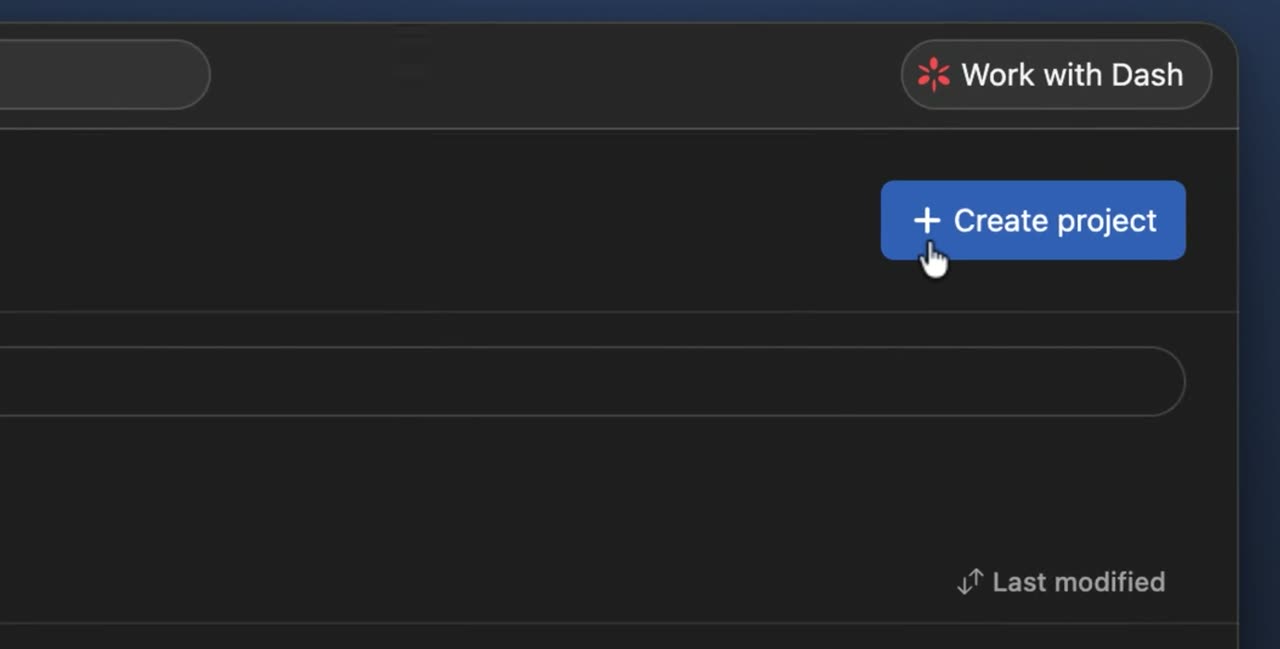
From Browse projects, click + Create project. This starts a new project from scratch or from a template.
article.md from the Asana recording: 8 steps, a screenshot for each.
All 19 files from this Asana recordingCustomer onboarding: questions
Something else? Email contact@turtletechsai.com or book a working session.
Is this an in-app product tour?
No. TurtleScene doesn't run inside your product. The walkthrough is a click-through of screens from your recording, shown on a share page or in an embed on your welcome page or help centre. Customers try the flow there, then do it for real in your app.
What happens when our UI changes?
Re-record the task that changed; it uses one AI recording. A new recording makes a new video and walkthrough with their own links, so update the embed or email that points to them. For a single changed screen, replace that step's screenshot in the walkthrough; its link stays the same.
Can we personalise a walkthrough for each account?
Yes. Write tokens such as {{company}} in step titles, tooltips, chapters or the end call to action, then add ?company=Acme to the link. The values travel in the link, so anyone who has it sees them.
Can we tell whether new customers finish it?
On Starter and up, Analytics shows views, completion rate, average steps viewed and CTA clicks for each walkthrough. These are totals per demo, not a record of which customer watched. Free shows total views only.
Can we keep onboarding material private?
A walkthrough can have a password (Starter plan and up), checked on our servers. A narrated video's share link plays for anyone who has it, so record in a demo account and keep customer data off screen.
Which plan suits an onboarding library?
Starter ($29 a month) gives 10 recordings a month of up to 5 minutes, with analytics, passwords and translations. Studio ($79) gives 40 recordings of up to 10 minutes and 3 creators, so a customer success team can share the work.
Related
- Use caseHelp-centre videosEach help article with a narrated video, a clickable version and step screenshots from one recording.Read
- Use caseLocalisationThe same demo in 14 languages: narration, captions, step cards and tooltips (Starter).Read
- Use caseWebsite interactive demoA “try it” demo on your site and your own domain (Studio), with the narrated version beside it.Read
- TeamCustomer success and educationOnboarding and training content that keeps up with a product that ships every sprint.Read
Independent tutorials we recorded ourselves. Asana is a trademark of their owners; TurtleScene is not affiliated with or endorsed by them.
Your next release ships soon. Ship the explanation with it.
Start free and record your first flow in the browser, or book a working session and we'll build a kit from one of your flows with you.