Your champion loved the demo. Their finance lead wasn't on the call.
Send a clickable demo they can drive after the call, a narrated video for the people who'd rather watch and a 30-second clip for the email. On Studio, a lead form sends whoever fills it in to HubSpot, Slack or a webhook.
The highlight TurtleScene cut from a real recording of Google Sheets (building a sales dashboard). Captions are burned in.
All 19 files from this Google Sheets recordingThe demo stops at the people on the call. The deal needs everyone else.
B2B deals are decided by people who never saw the demo. The champion tries to re-explain it in a Slack thread, and the SE books another call to show the same click path again.
An hour of video with the good part at minute 34. The people who most need to see it don't watch it.
Each new person means another call and the same flow. SEs spend their week repeating themselves and the deal waits for calendars.
Record the flow your best demo follows. Send a clickable version prospects can drive, a narrated video they can forward and a short clip for the email, all from the same take.
- Clickable demo with the prospect's company filled in from the link
- Lead form to HubSpot, Slack or a webhook (Studio plan and up)
- Password for a demo meant for one account (Starter plan and up)
- Narrated video and a 30-second highlight for the follow-up
Every release, every job
- 01Follow-up demosA clickable version of the call's flow, sent the same afternoon.How it works
- 02Website "try it" demoA demo on your site that asks for an email before or after (Studio plan and up).How it works
- 03Videos for the buying committeeA narrated walkthrough the champion can forward to people who weren't on the call.
- 04Outbound clipsA 30-second highlight or a square cut for emails and LinkedIn.How it works
- 05Demos in the buyer's languageThe same demo for prospects in 14 languages (Starter plan and up).How it works
Your follow-up kit, from one take
The real files from one recording of Google Sheets: the ones a sales follow-up uses most.
From one recording to shipped
- 01Record the flow after the call
Walk through the part of the product the prospect cared about, in a demo account, in your browser. Choose Product demo as the demo kind for a buyer-facing script.
- 02Make it theirs
Write {{company}} into the first step's title, add a password if it's for one account (Starter plan and up) and a lead form that asks for a work email (Studio plan and up).
- 03Send it with the follow-up
Paste the personalised link and the 30-second highlight into your follow-up email. New leads post to Slack or arrive in HubSpot as they come in.
Built for this job
A demo prospects drive, with leads to your CRM
Every click in the recording becomes a step prospects click through themselves. Add a lead form before or after the demo; submissions go to a HubSpot form, a Slack channel or any webhook, and download as CSV.
- {{name}} and {{company}} filled in from the link
- Password protection (Starter plan and up)
- Your logo and a "Book a demo" button on the share page
The clickable demo from the Google Sheets recording. It has no lead form switched on, so trying it sends nothing anywhere.
A narrated version to forward
The same take as a narrated video in the Studio style: your brand colours, a deep zoom and a spotlight on each step, title and end cards. It's the version the champion can drop into an internal thread, watchable without signing in.
- Script written for buyers, or from what you said
- Long waits cut automatically
- Downloads up to 1080p (720p on Free)
demo.mp4, from a real recording of Google Sheets made with TurtleScene: “Build a sales dashboard in Google Sheets”.
In the buyer's language
Send prospects the demo in their language: the clickable demo's tooltips, step titles and lead form labels, or the video's narration, step cards and captions. Leads still arrive with the field labels you wrote. Each language uses one recording from your allowance.
Narration, captions and step cards in the video; tooltips, buttons and the lead form in the clickable demo. The recorded screens themselves stay as recorded.
On your own domain
Serve your shared clickable demos from a subdomain such as demos.yourcompany.com, so the link in the follow-up email is yours. Add a CNAME and a TXT record, check them in the Integrations tab, and we switch on HTTPS.
- TurtleScene badge removed (Starter plan and up)
- Hide a demo from search engines with noindex
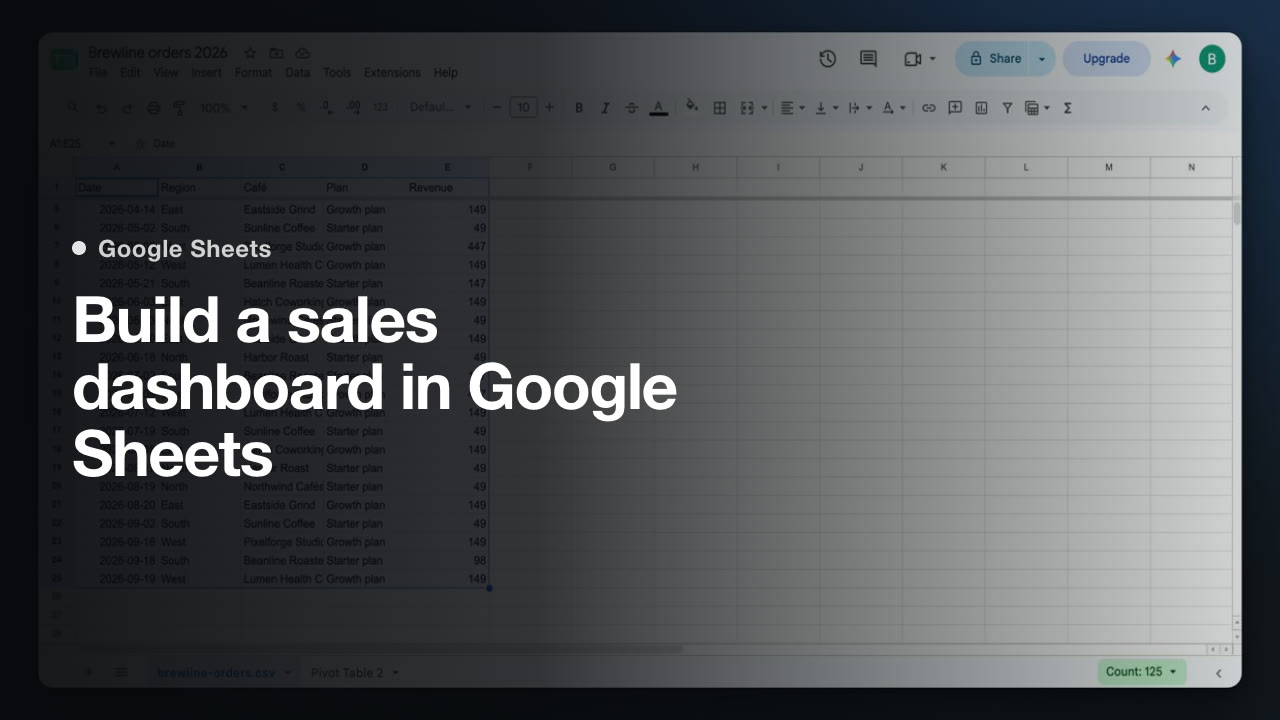
demo-thumbnail.jpg, from a real recording of Google Sheets made with TurtleScene: “Build a sales dashboard in Google Sheets”.
One library for the sales team
The recording lives in a shared workspace, so another rep can make their own version from it without recording again. Studio has 3 creator seats and Team 10, with admin roles on Team.
raw-recording.mp4: 30 seconds of a recording of turtlecanvas, one of our own products, as it went in.
For the stakeholder who wants the why
The same take retold as a 51-second animated explainer, with every scene's animation in the MP4. It's the version for the person who will never click through a demo.
story.mp4 from the same Google Sheets recording, as TurtleScene made it.
All 19 files from this Google Sheets recordingWhere do the leads go?
On Studio and up, a lead form asks for the fields you choose (text, email, phone or company) before or after the demo. Each submission can go to a HubSpot form, a Slack channel or any webhook as it arrives, and all of them download as a CSV. Integrations are set per demo.
Can we personalise a demo for one prospect?
Yes. Write tokens such as {{name}} or {{company}} into step titles, tooltips, chapter titles and the end call to action, and fill them in from the link. The values travel in the link, so anyone with it sees them. Add a password on Starter and up for a demo meant for one account.
Can we see whether they opened it?
Analytics count views for each clickable demo on every plan, and on Starter and up add completion rate, steps viewed and call-to-action clicks. They are counted per demo, not per person: a lead form is how you learn who it was. Videos aren't tracked.
Can the demo run on our domain?
On Studio and up, yes: a subdomain such as demos.yourcompany.com serves your workspace's public clickable demos. You add two DNS records, the Integrations tab checks them, and we switch on HTTPS.
Will it show real customer data?
Only what you record. Use a demo account where you can, and blur anything private in the editor: the area is destroyed in the video, its cuts and the clickable demo made from that recording.
How many reps can make demos?
Free and Starter have one creator seat. Studio has 3 and Team 10, with admin roles on Team. Viewers are free and unlimited on every plan.
Related
- Use caseSales demos and follow-upsA clickable demo prospects try after the call, with a lead form that lands in HubSpot (Studio).Read
- Use caseWebsite interactive demoA “try it” demo on your site and your own domain (Studio), with the narrated version beside it.Read
- Use caseSocial launch clips9:16 and 1:1 cuts that follow each click, with captions burned in, from the same take.Read
- Use caseLocalisationThe same demo in 14 languages: narration, captions, step cards and tooltips (Starter).Read
- TeamProduct marketingLaunch every release with the full kit, not just a blog post and a screenshot.Read
- TeamCustomer success and educationOnboarding and training content that keeps up with a product that ships every sprint.Read
Independent tutorials we recorded ourselves. Google Sheets is a trademark of their owners; TurtleScene is not affiliated with or endorsed by them.
Your next release ships soon. Ship the explanation with it.
Start free and record your first flow in the browser, or book a working session and we'll build a kit from one of your flows with you.