You demoed it at sprint review. Now sales, support and CS want the same demo.
Record the flow you'd demo anyway. TurtleScene gives you a narrated video for everyone who missed the review, a GIF and a 30-second highlight for the changelog, and a recording the rest of the company can build on.
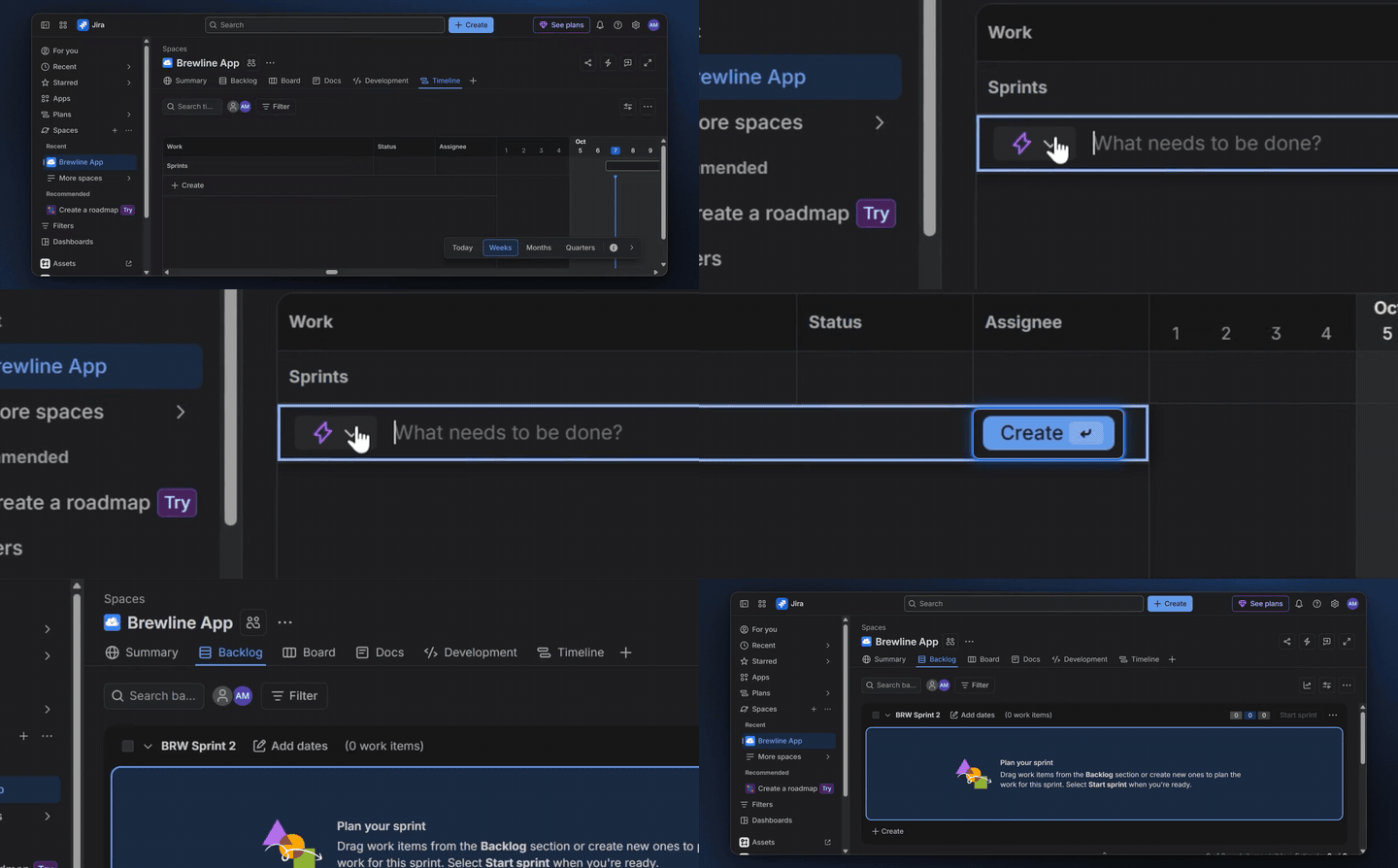
GIF made from a real recording of Jira (planning an epic on the timeline). A silent loop for changelogs and READMEs.
All 19 files from this Jira recordingShipping it is your job. Explaining it keeps becoming one too.
Every release, the PM demos it at sprint review, again for sales, again for support, and writes a changelog entry with a screenshot. Then marketing, docs and CS each record the same flow for their own formats.
Sprint review, the sales sync, the support hand-off, the customer who asked. Each one is another half hour on the same flow.
Quick to post, but it shows one frame of a six-step flow. Customers read the line and never find the feature.
Record the flow before sprint review. The narrated video, GIF and highlight cover the changelog and everyone who missed the demo, and the recording stays in the workspace for marketing, docs and CS to make their own formats from.
- A narrated video for the people who missed the review
- A GIF and a 30-second highlight for the changelog
- A clickable demo for beta customers, behind a password (Starter plan and up)
- The recording in a shared library for the rest of the team
Every release, every job
- 01Sprint reviewA narrated video of what shipped, for everyone who wasn't in the room.
- 02Changelog entriesA GIF and a 30-second highlight for each entry worth explaining.How it works
- 03Beta previewsA clickable demo for beta customers, behind a password (Starter plan and up).
- 04Launch hand-offThe same recording, passed to product marketing for the launch kit.How it works
- 05EnablementA video sales and support can watch before customers start asking.
What one sprint-review take becomes
The real files from one recording of Jira: the ones a product team uses most.
From one recording to shipped
- 01Record the flow before the review
Walk through the feature in staging or production, in your browser, talking as you would in the review. Recordings run up to 10 minutes on Studio and 20 on Team.
- 02Let the narration write itself
TurtleScene turns what you said into the script, or writes one from the clicks. Edit any line as text, then render.
- 03Post it and pass it on
Share the video link in the review channel, drop the GIF into the changelog and leave the recording in the library for marketing, docs and CS.
Built for this job
A changelog entry people open
Each narrated video comes with a 30-second highlight (landscape and 9:16), a GIF and a thumbnail from the Formats tab, included with the recording. The highlight keeps the moments that show a result and burns in the captions.
- GIF for changelogs, READMEs and emails
- Thumbnail for link previews
- Rebuilt in a click after a re-render
demo-highlight.mp4, from a real recording of Jira made with TurtleScene: “Plan an epic on the timeline in Jira”.
The sprint review, for everyone who missed it
Your talk-through becomes the script, read by one of 13 AI voices, with a deep zoom and a spotlight on each step and the waits cut out. The share link always plays the latest render, so a fix after review updates the same link.
demo.mp4, from a real recording of Jira made with TurtleScene: “Plan an epic on the timeline in Jira”.
A changelog video from the spec
Start a story video from a written brief or the documents you already have (PDF, DOCX, PPTX, Markdown or text), or retell the recording. The Changelog type covers what's new, what it solves and a look at the feature, with every scene animated.
- Edit scenes by chat (Studio plan and up)
- Square cut, highlight and launch posts from the story
story.mp4: the Jira recording retold as a story video by TurtleScene, untouched.
A beta preview behind a password
Send beta customers a clickable version of the new flow. A password keeps it to the people you give it to, a noindex switch keeps it out of search, and turning off the public link takes it down. Blur hides anything in staging that viewers shouldn't see.
- Analytics show how far testers get
- Link straight to the step you want feedback on
The clickable demo from the Jira recording. This example has no password, so it can be embedded here.
One recording, every team's formats
Everyone in the workspace sees the same recordings. Docs can make the help article from your take, product marketing the launch kit and CS the onboarding tour. Each further video or story from a stored recording uses one recording from the allowance. Studio has 3 creator seats and Team 10.
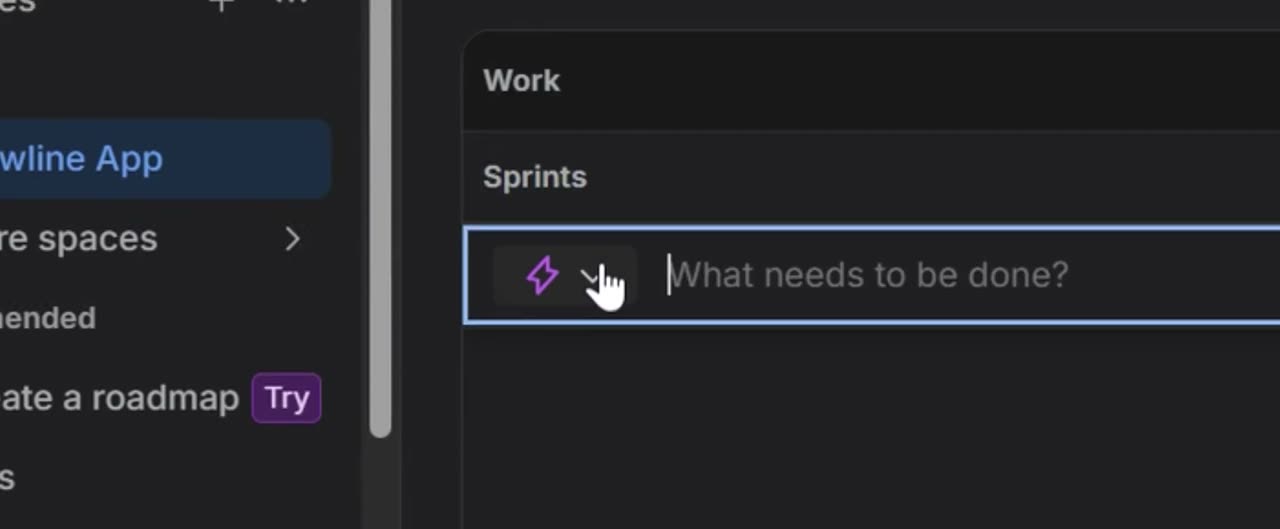
On the Timeline tab, click + Create to add a new work item. This starts the process of creating your epic on the timeline.
article.md, from a real recording of Jira made with TurtleScene: “Plan an epic on the timeline in Jira”.
The same take, cut for the team channel
Everything on this page came from one pass through Jira: no script, no voice-over, the pauses left in. TurtleScene also cut it square, following each click with a step header and captions burned in, for a Slack channel or LinkedIn. Nobody edited this file.
demo-square.mp4 from the same Jira recording, as TurtleScene made it.
All 19 files from this Jira recordingDo I need to write a script?
No. TurtleScene writes the narration from the clicks it finds, or cleans up what you said while recording. You edit any line as text before rendering.
Can I record in staging?
Yes: anything you can open in a browser. Recordings can be up to 3 minutes on Free, 5 on Starter, 10 on Studio and 20 on Team. Blur destroys private details in the video and the clickable demo made from a recording.
Can marketing and docs use my recording?
Yes. Recordings are stored in the workspace and every member can make outputs from them. The first video or story from a recording is included with it; each further one uses one recording from the monthly allowance. Inviting teammates needs Studio (3 creators) or Team (10).
Can we keep a pre-release feature private?
Nothing is public until you share it. A clickable demo can be password-protected (Starter plan and up), hidden from search engines and taken down by switching off its public link. A narrated video's share link can be watched by anyone who has it, so share it only internally.
What if the feature changes after review?
Edit the script and re-render: the share link plays the latest version. If the UI itself changed, re-record that flow and rebuild. TurtleScene doesn't watch your product or re-record by itself.
How is this different from a quick screen recording?
A screen recording is one file with no narration. The same take in TurtleScene becomes a narrated video with zooms and the waits cut, a clickable demo, a GIF, a highlight, captions and a help article.
Related
- Use caseRelease notes and changelog videosEvery changelog entry gets a 30-second highlight and a GIF people actually open.Read
- Use caseFeature launchesShip the launch video, clickable demo, cuts and posts the day the feature goes live.Read
- Use caseHelp-centre videosEach help article with a narrated video, a clickable version and step screenshots from one recording.Read
- TeamProduct marketingLaunch every release with the full kit, not just a blog post and a screenshot.Read
- TeamSupport and docsHelp articles that come with a video and a clickable demo, from the recording you'd make anyway.Read
Independent tutorials we recorded ourselves. Jira is a trademark of their owners; TurtleScene is not affiliated with or endorsed by them.
Your next release ships soon. Ship the explanation with it.
Start free and record your first flow in the browser, or book a working session and we'll build a kit from one of your flows with you.